




Agencies and freelancers
Many client brands, approvals and clean reports, without logging in and out all day.
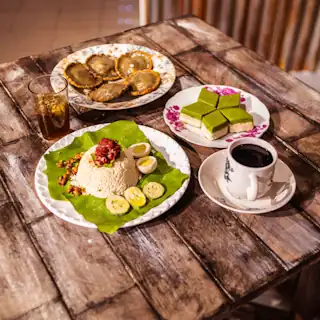
From the morning kopi to the Raya buffet, Watchpost helps kopitiams, cafés and restaurants show up where hungry people look: TikTok, Instagram, Facebook and Google Maps.

From pain to plan
Busiest when you should be posting
Lunch and dinner rush are exactly when people scroll for food.
Menus and hours change
Public holiday closures, new dishes and sold-out items need posting fast, everywhere.
Google Maps gets forgotten
Customers check your Google profile before they visit, but it rarely gets updates.
Short video takes effort
One good kitchen video should work on TikTok, Reels and Shorts, but each wants different settings.
Schedule around the rush
Plan posts during quiet hours and let them go out at mealtimes.
Google offers and events
Post a weekend special with a coupon code or a repeating event, like a weekly live music night.
One video, every platform
Send the same clip to TikTok, Instagram Reels and YouTube Shorts with the right settings for each.
Every outlet in one place
Connect each outlet's Google profile and Facebook Page, and post to all at once.
Repeat weekly posts
Set the Monday menu or Friday promo to repeat every 7 days.
A day in the life
Aisyah runs a family kopitiam in Ipoh with her brother.
ExampleAn example day. Aisyah and her kopitiam are fictional.
6:30 am
Shoots a 20-second clip of the first kopi pour and a tray of kuih before opening.
7:15 am
In a quiet moment, schedules the clip to TikTok, Instagram Reels and Facebook Reels for 11:45 am.
7:20 am
Adds a Google update with the "Order online" button, and repeats her Friday nasi lemak post weekly.
11:45 am
The posts go out as the lunch crowd starts scrolling. She is at the counter.
9:00 pm
Checks which platform brought the most views today, and plans tomorrow's clip.
See it in Watchpost
One video, every platform
Send the same clip to TikTok, Instagram Reels and YouTube Shorts with the right settings for each.
Recommended setup
The setup we suggest for food and beverage. Tick the steps off as you read. All of it works during your 30-day free trial.
Channels to connect first
Google Business Profile · Instagram · TikTok · Facebook
Setup checklist
0 of 4 steps done
FAQ
Many client brands, approvals and clean reports, without logging in and out all day.

Post every week without giving up your evenings. Plan once, Watchpost does the rest.

New arrivals, sales and campaigns across every channel, planned around your shopping calendar.


Several outlets, each with its own Google listing and pages. One calendar, local details per outlet.
30 days free, no card needed. Then RM69 a month for your whole team.


